


Free TiviMate Premium is our customized version of the popular TiviMate IPTV player, with premium features ready to go right out of the box. There is no separate premium purchase or activation process, which makes getting started faster and easier.
If you're looking for one of the easiest ways to watch IPTV on a Firestick or Android TV, this is a great place to start. You'll get the familiar TiviMate interface along with premium features such as favorites, EPG support, catch-up support, improved playlist management and more.
Our latest version also introduces several new features designed specifically to make finding sports, troubleshooting connections and keeping your IPTV setup working as smoothly as possible much easier.
This step-by-step guide will show you how to install Free TiviMate Premium, connect it to your IPTV service and start watching on your device.
Don't Have IPTV Yet?
Get a free 36-hour IPTV trial and test it with Free TiviMate Premium. No credit card required.
Table of Contents
- Step 1: Install the Downloader App
- Step 2: Enable Developer Options and Unknown Sources
- What's New in the September 15 Update
- Step 3: Download Free TiviMate Premium
- Step 4: Add Your IPTV Account
- Step 5: Start Watching
- Frequently Asked Questions
Step 1: Install the Downloader App
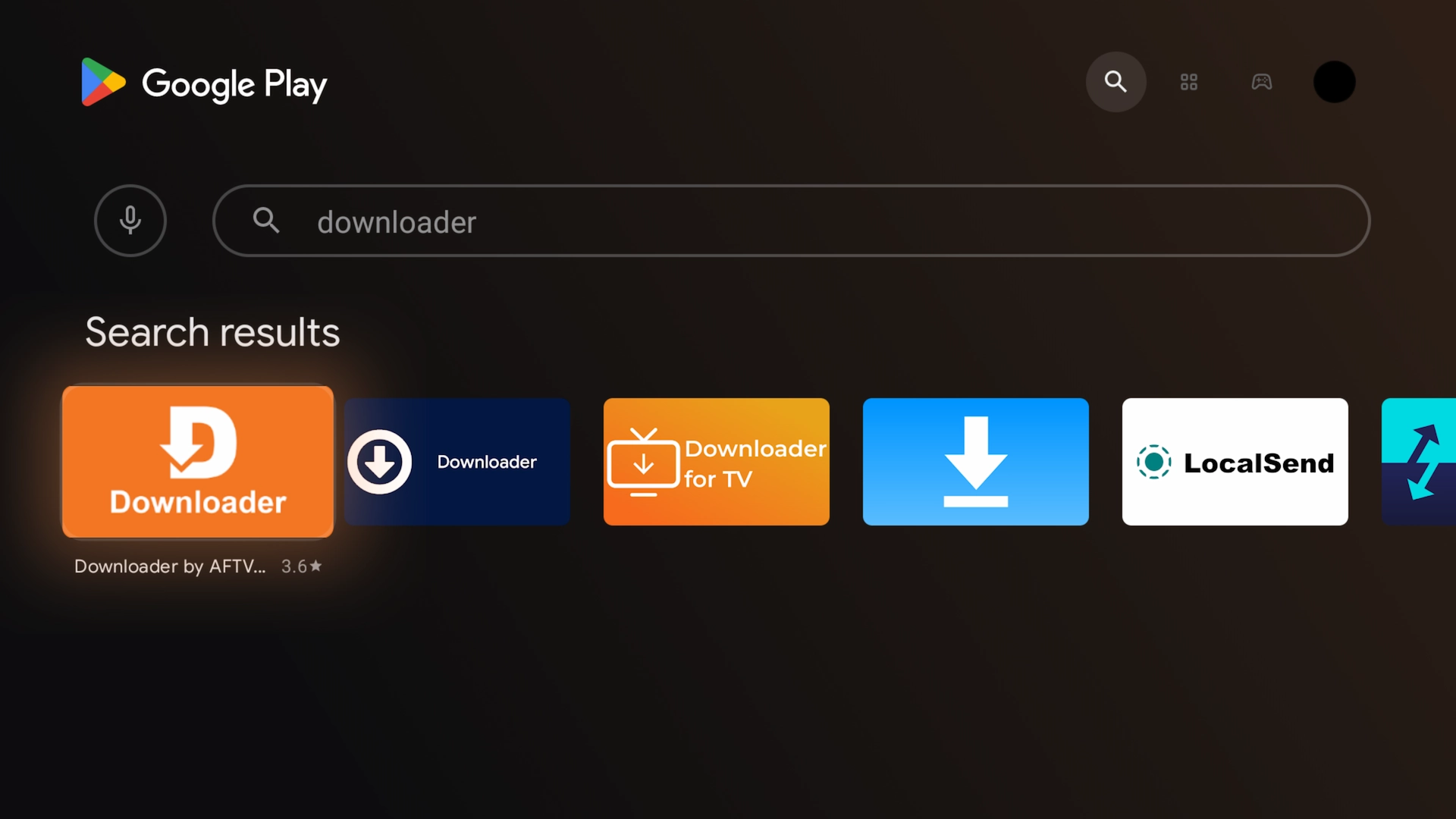
Downloader is an easy way to install apps that aren't available directly through your device's regular app store.
- Firestick: Open the Amazon Appstore, search for Downloader, and install it.
- Android TV: Search for Downloader in the Google Play Store and install it.
Step 2: Enable Developer Options and Unknown Sources
Before installing Free TiviMate Premium, your device needs permission to install apps from outside its regular app store.
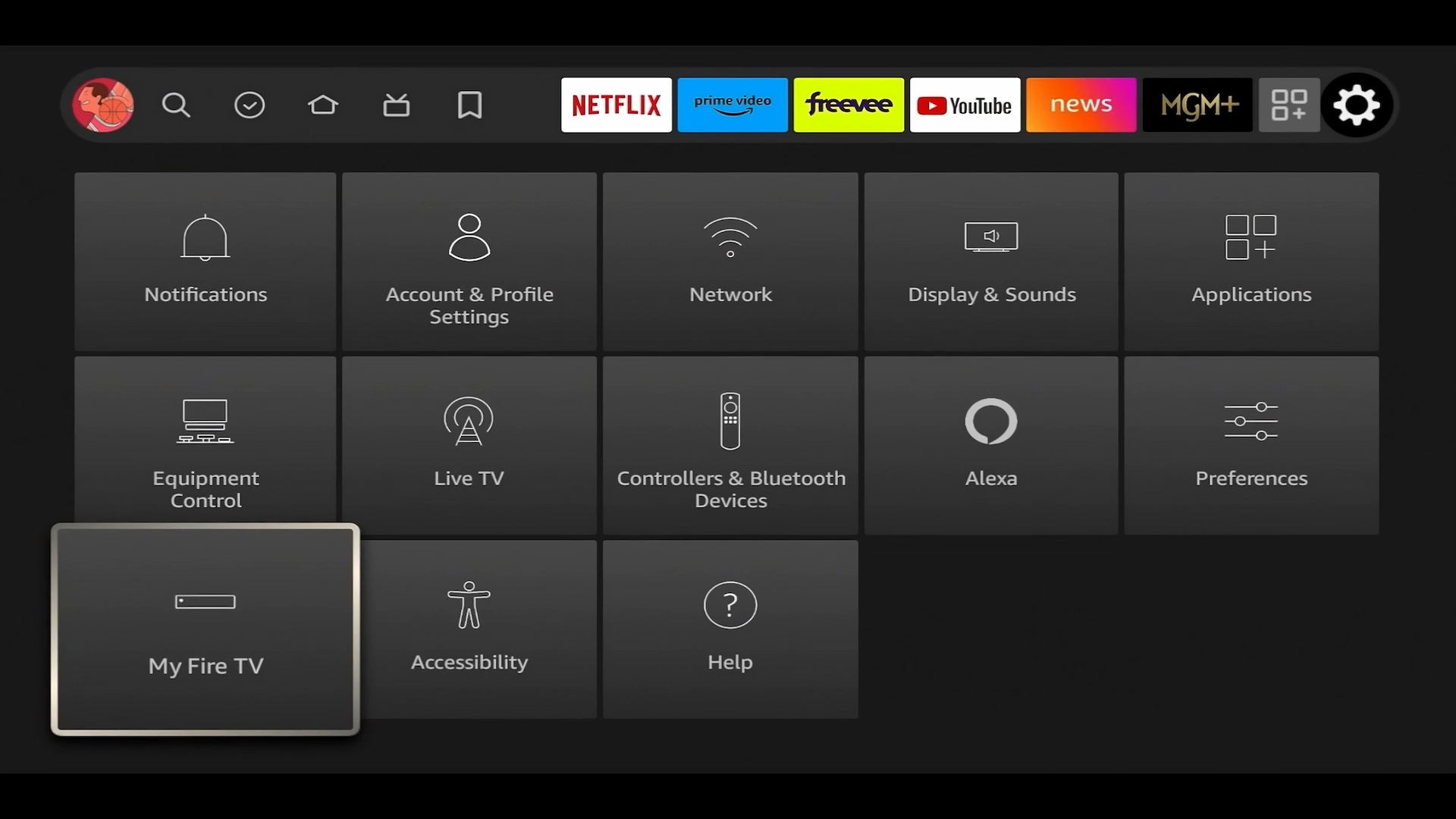
1. Go to Settings → My Fire TV. On some Android TV devices, this may appear under Device Preferences or a similar settings menu.
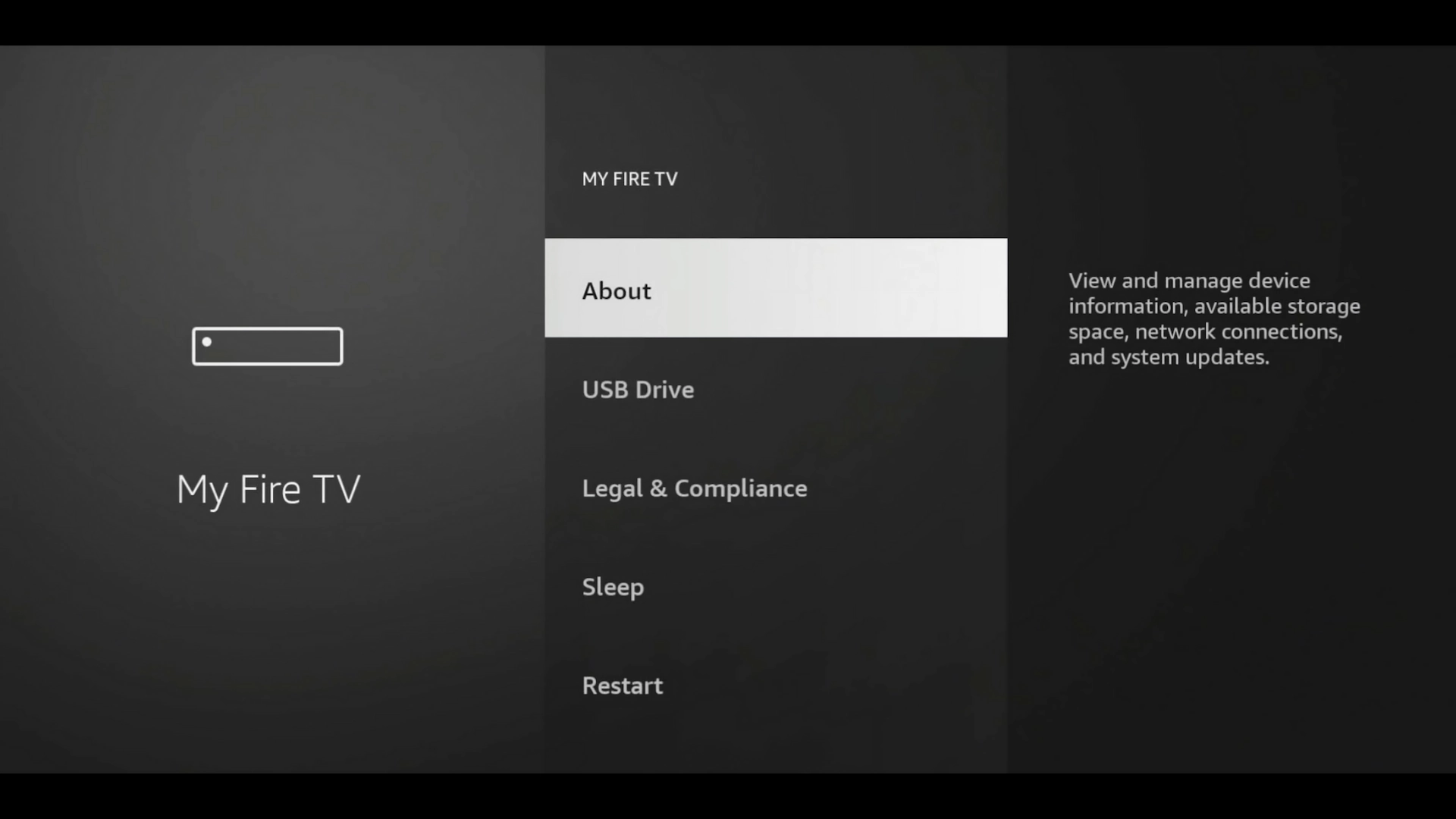
2. Select About.
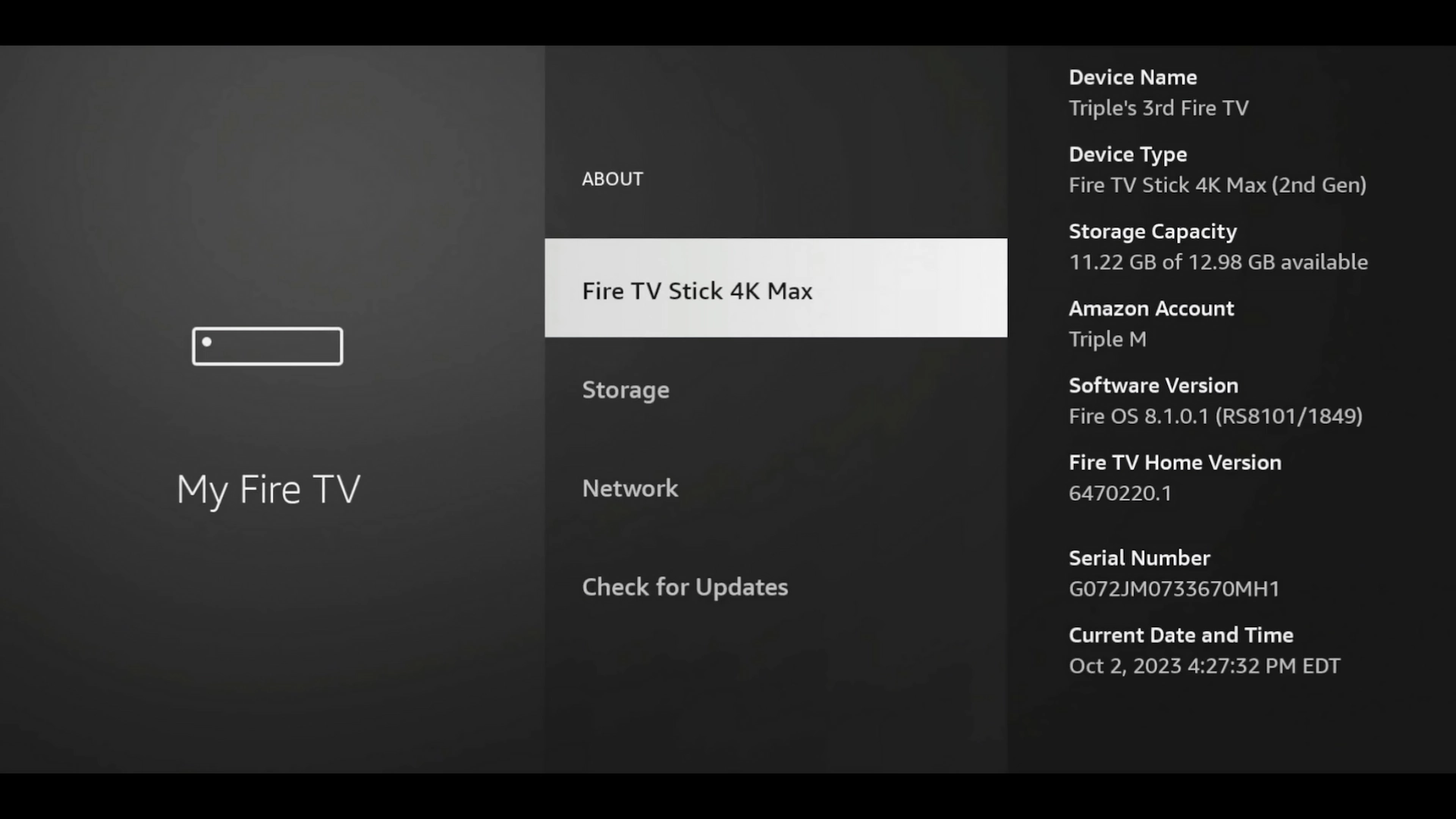
3. Highlight the name of your Fire TV device and press the Select button 7 times quickly.
This enables the hidden Developer Options menu if it isn't already visible.
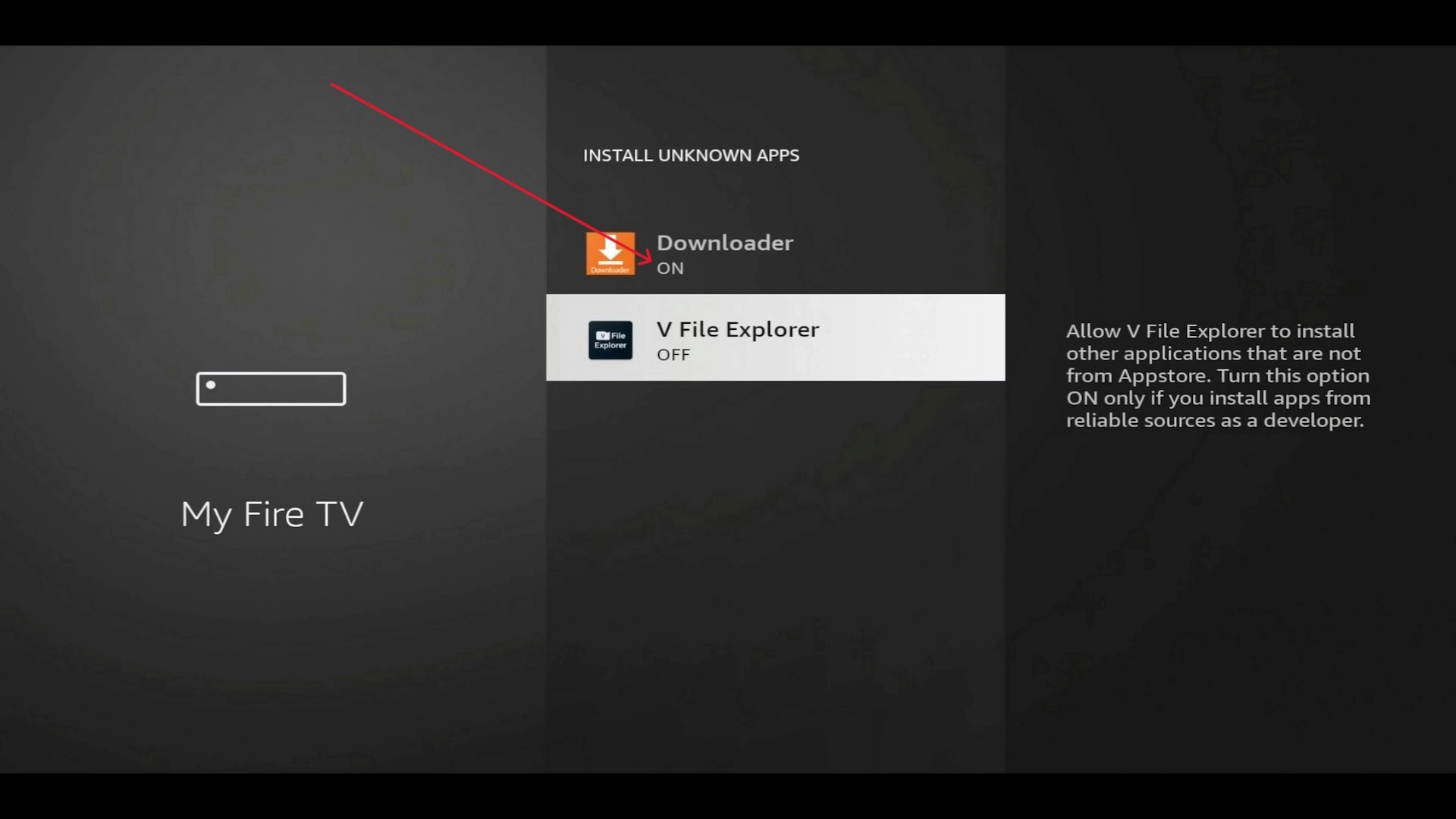
4. Return to the previous menu and open Developer Options. Select Install unknown apps and enable permission for Downloader.
What's New in the September 15 Update?
Major App Update — September 15, 2026
The latest version of Free TiviMate Premium includes several major improvements that go beyond the standard TiviMate experience.
If you already use an older version of our app, we recommend installing the newest version using Downloader code 9451449.
New Sports Hub
The new version includes a dedicated Sports section designed to make finding games much easier.
Instead of searching through hundreds of channels trying to figure out where a game is playing, the Sports section can show current and upcoming sporting events along with the channels carrying them.
This is especially useful for football, basketball, baseball, hockey, soccer, combat sports and other live events.
Integrated VPN Support
The latest version also introduces VPN support directly within the app.
This gives support more options when an Internet provider is filtering, blocking or poorly routing IPTV traffic.
VPN connections used through the app can be managed independently from other applications on your device, so you don't necessarily have to route everything on your Firestick or Android TV through a VPN just to troubleshoot IPTV.
Remote VPN Server Management
When needed for troubleshooting, supported VPN server information can be added or changed remotely.
This means that if a connection issue appears to be related to your Internet provider or routing, support may be able to make the required VPN adjustment without asking you to manually enter complicated server information with your TV remote.
In-App Announcements
The September update introduces in-app announcements.
Important information can now be displayed directly inside the app, including:
- Service updates
- Maintenance notices
- New features
- Server changes
- Important support information
This makes it easier to stay informed without having to depend entirely on email.
Remote Server and Configuration Updates
If supported IPTV server information ever needs to change, certain configuration information can now be updated remotely.
This can greatly reduce the need to manually type long server addresses or completely reconfigure an app just because a server address changes.
More Remote Troubleshooting Options
The new version gives support additional tools for troubleshooting supported settings and configuration remotely.
The goal is to make technical support easier, especially on Firestick and Android TV devices where entering settings with a remote control can be frustrating.
Install It Alongside Regular TiviMate
You no longer need to uninstall regular TiviMate before installing Free TiviMate Premium.
The latest version uses a separate installation identity, allowing it to be installed alongside another TiviMate installation.
If you already use regular TiviMate for another IPTV service, you can keep it installed and use Free TiviMate Premium separately.
Playback and Performance Improvements
The latest build also includes newer playback and configuration improvements designed to help reduce common issues such as buffering, freezing and playback interruptions.
No IPTV application can completely prevent buffering caused by Internet problems, Wi-Fi issues, ISP routing or problems with the original stream source, but the new version gives both the player and our support team more tools for diagnosing and resolving common playback problems.
Step 3: Download Free TiviMate Premium
You're now ready to install the latest version of Free TiviMate Premium.
Already Have TiviMate Installed?
That's okay. The latest version of Free TiviMate Premium can be installed alongside regular TiviMate.
You do not need to uninstall your existing TiviMate app or disturb another IPTV setup before continuing.
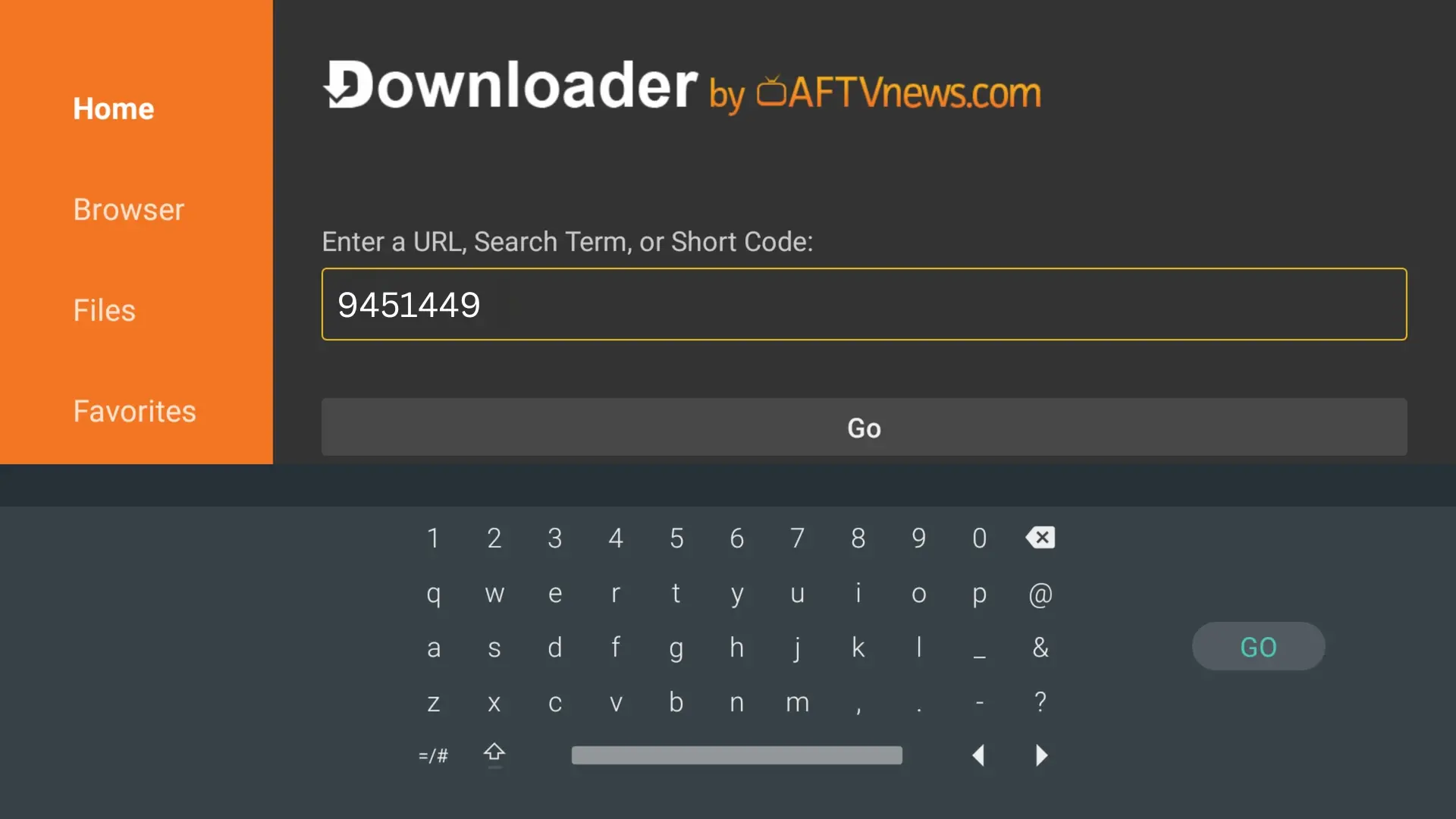
Open Downloader and enter the following Downloader code:
Enter 9451449 and select Go.
Once the download begins, select the Android download option for Free TiviMate Premium.
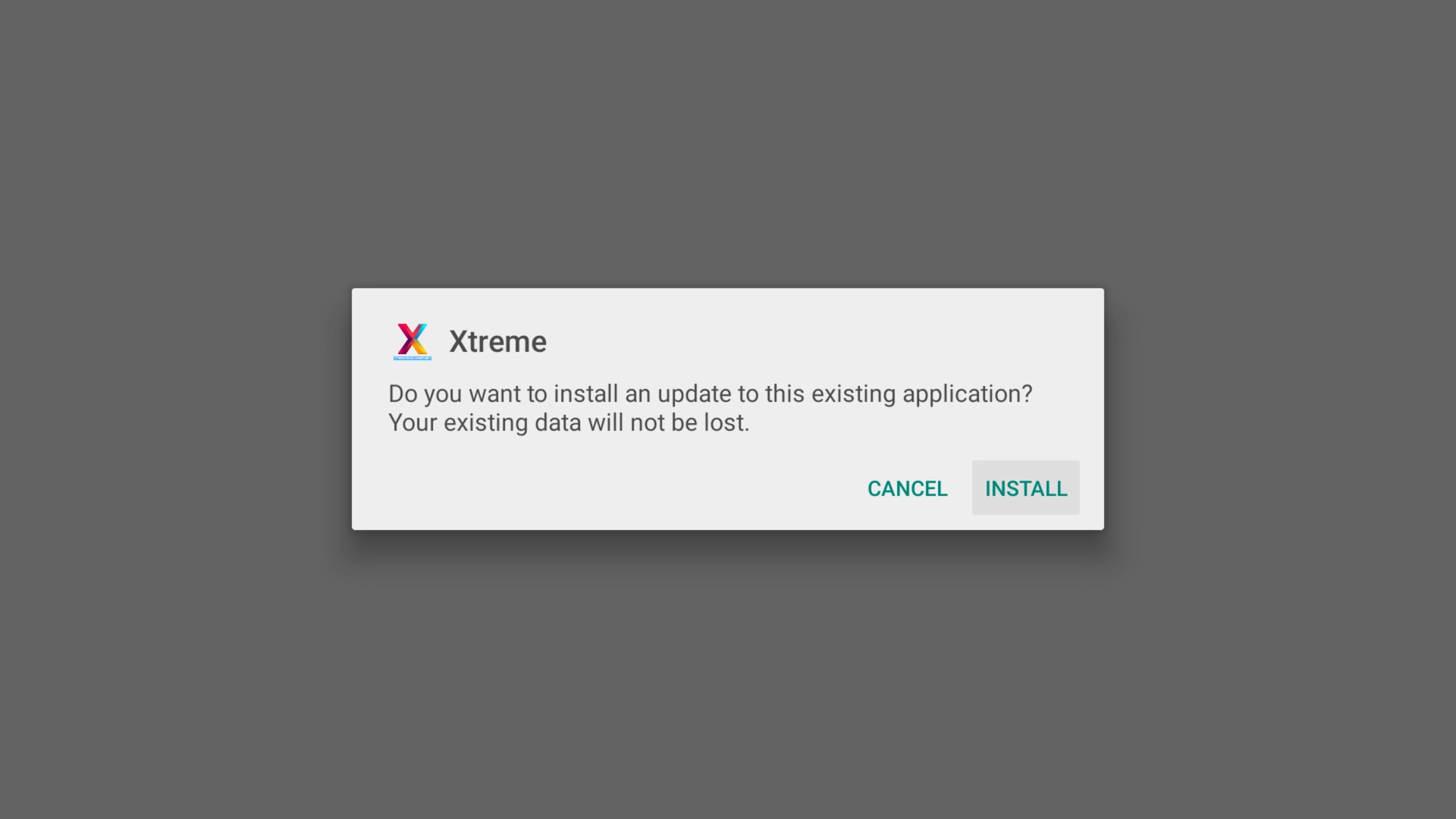
When Android asks whether you want to install the application, select Install.
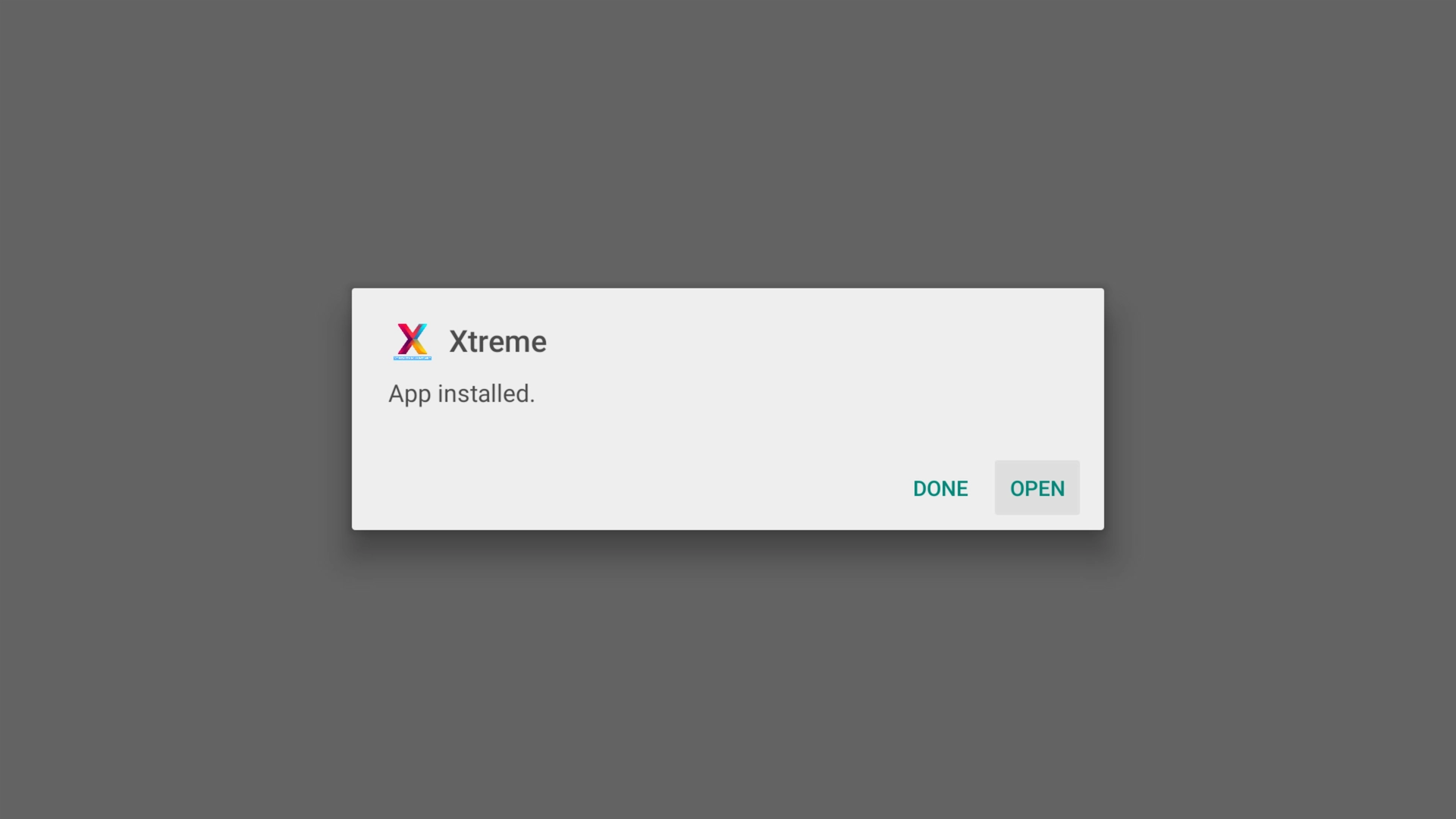
After installation finishes, select Open.
Step 4: Add Your IPTV Account
Free TiviMate Premium is designed to make this part especially easy.
Instead of going through a separate TiviMate Premium purchase and activation process, the premium features in our version are ready to go right out of the box.
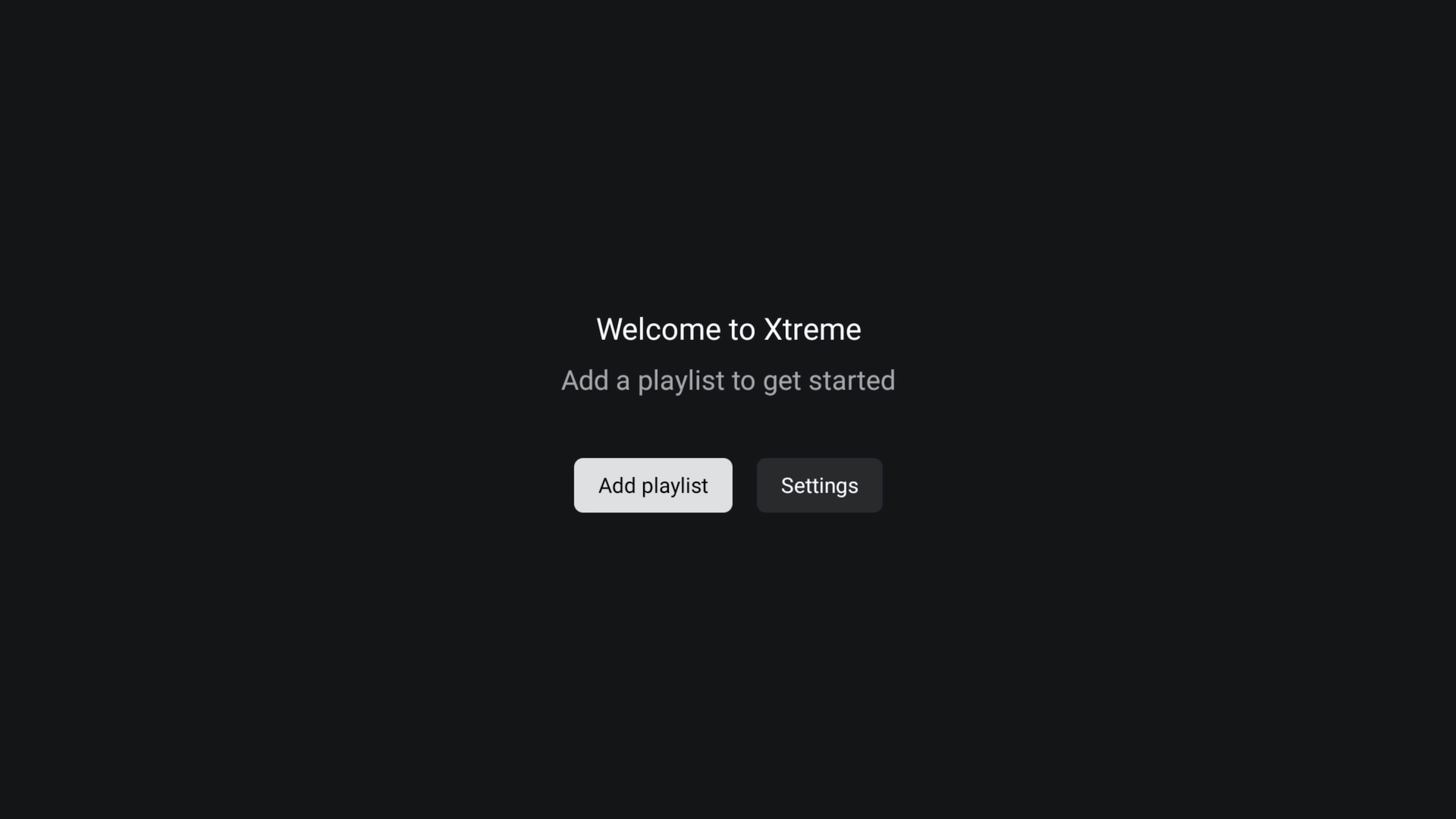
When the app opens, select Add Playlist.
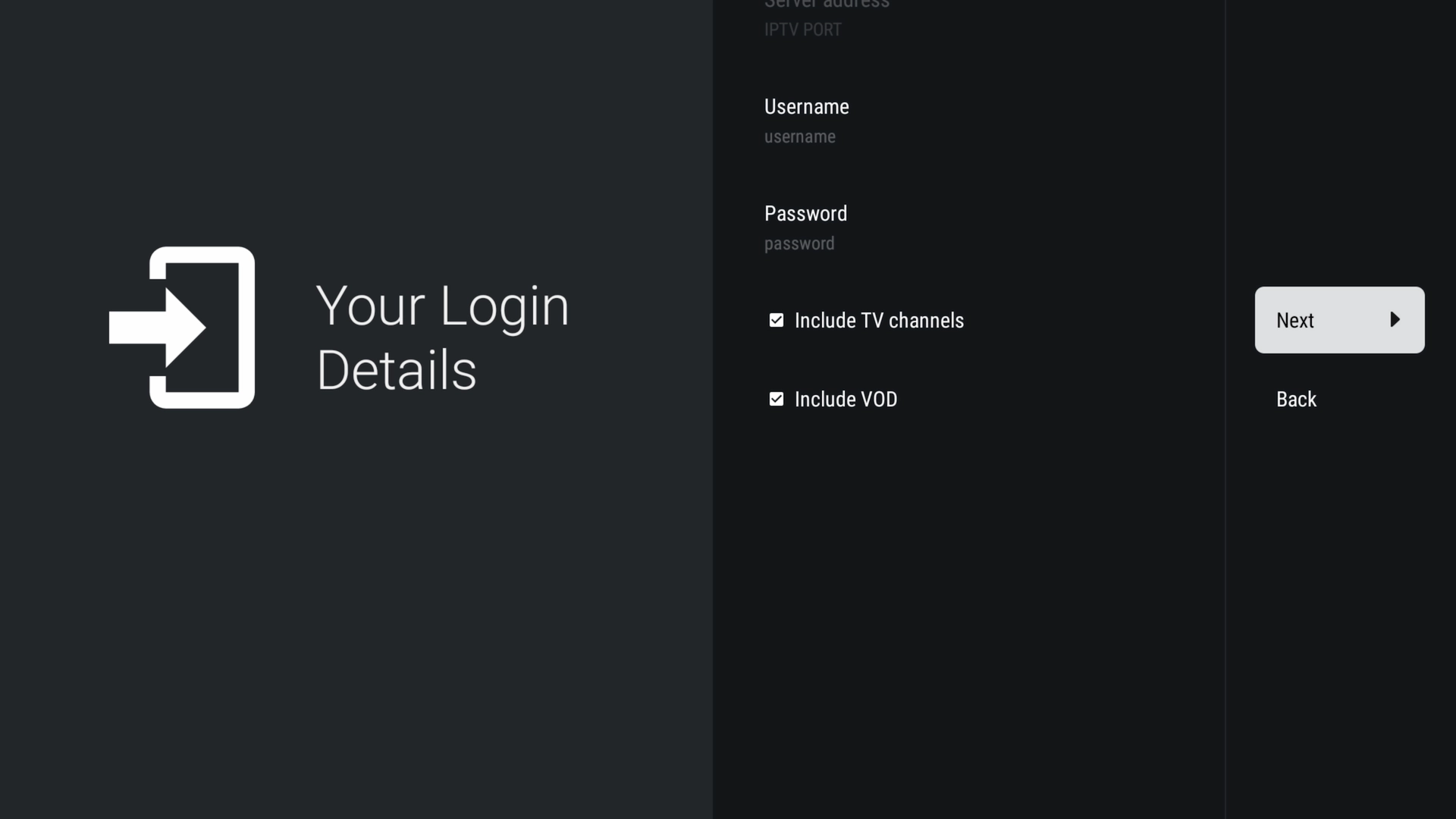
Enter the Username and Password provided with your IPTV service, then select Next.
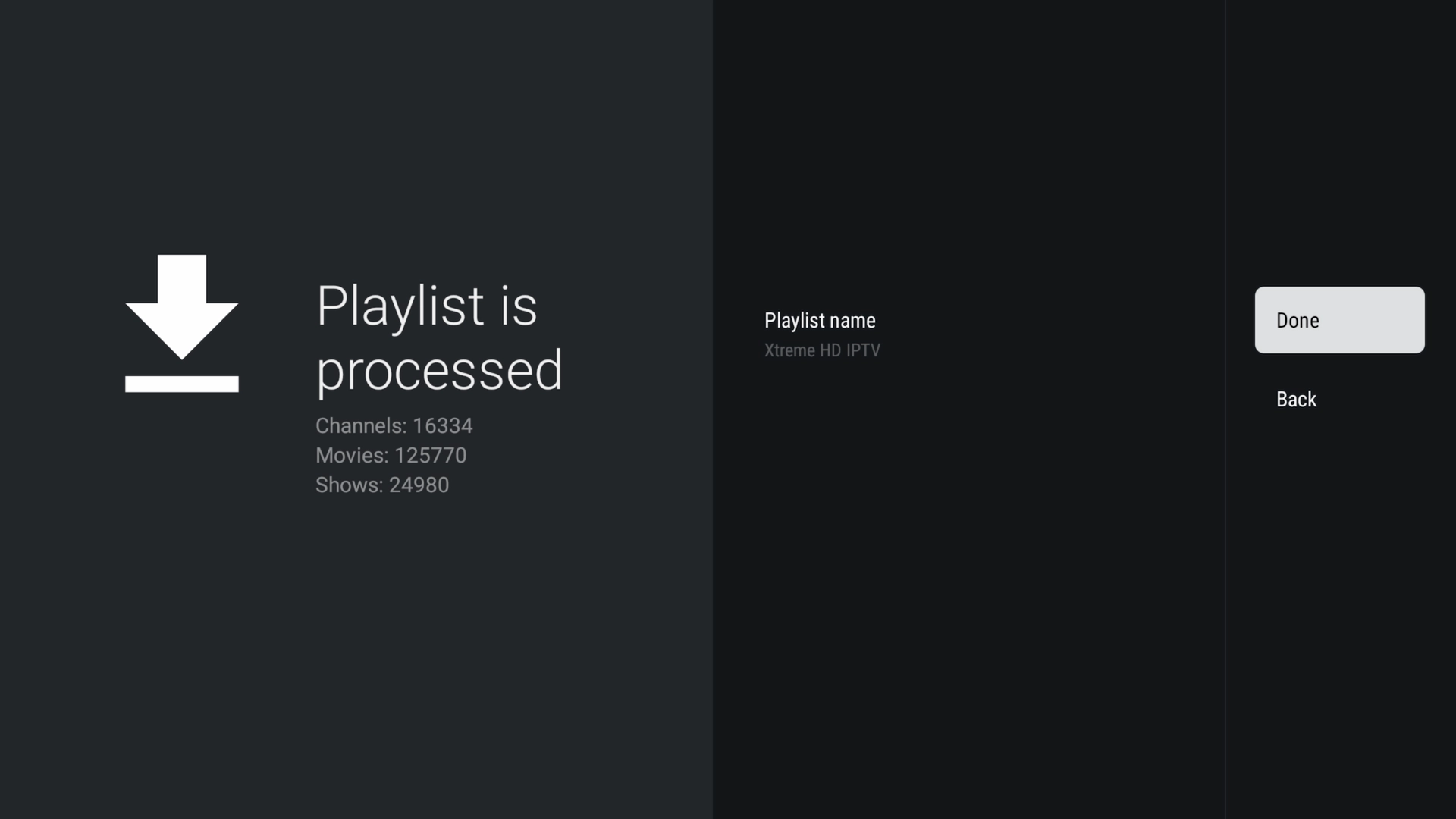
Give the app a moment to process your playlist. Large channel and on-demand libraries can take approximately 30–60 seconds to finish loading.
Once processing finishes, give your playlist a name and select Done.
Need an IPTV Account to Test It?
You can get a free 36-hour trial of our IPTV service and use the credentials you receive with Free TiviMate Premium.
Step 5: Start Watching with Free TiviMate Premium
That's it. Your IPTV service should now be loaded into Free TiviMate Premium.
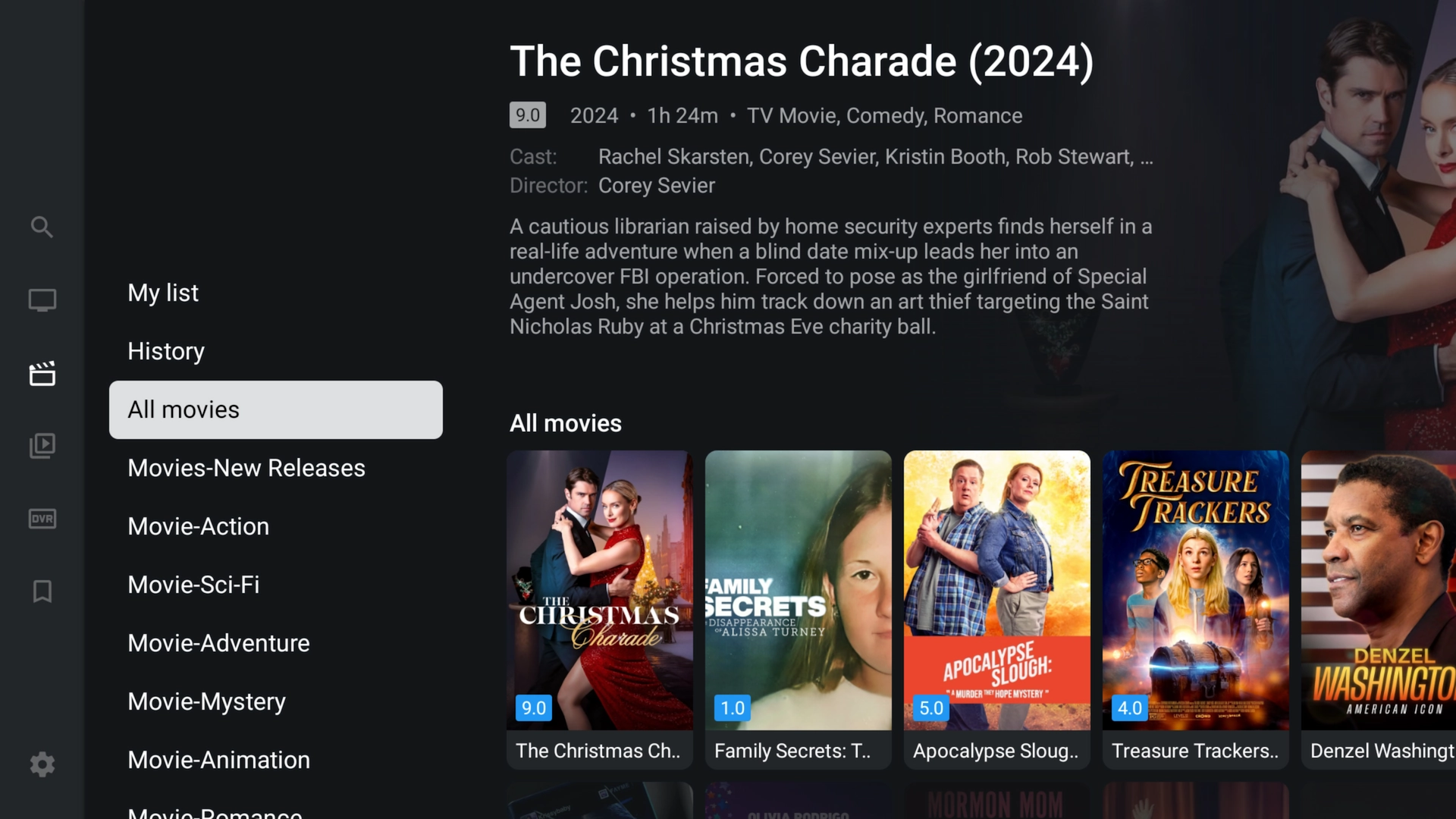
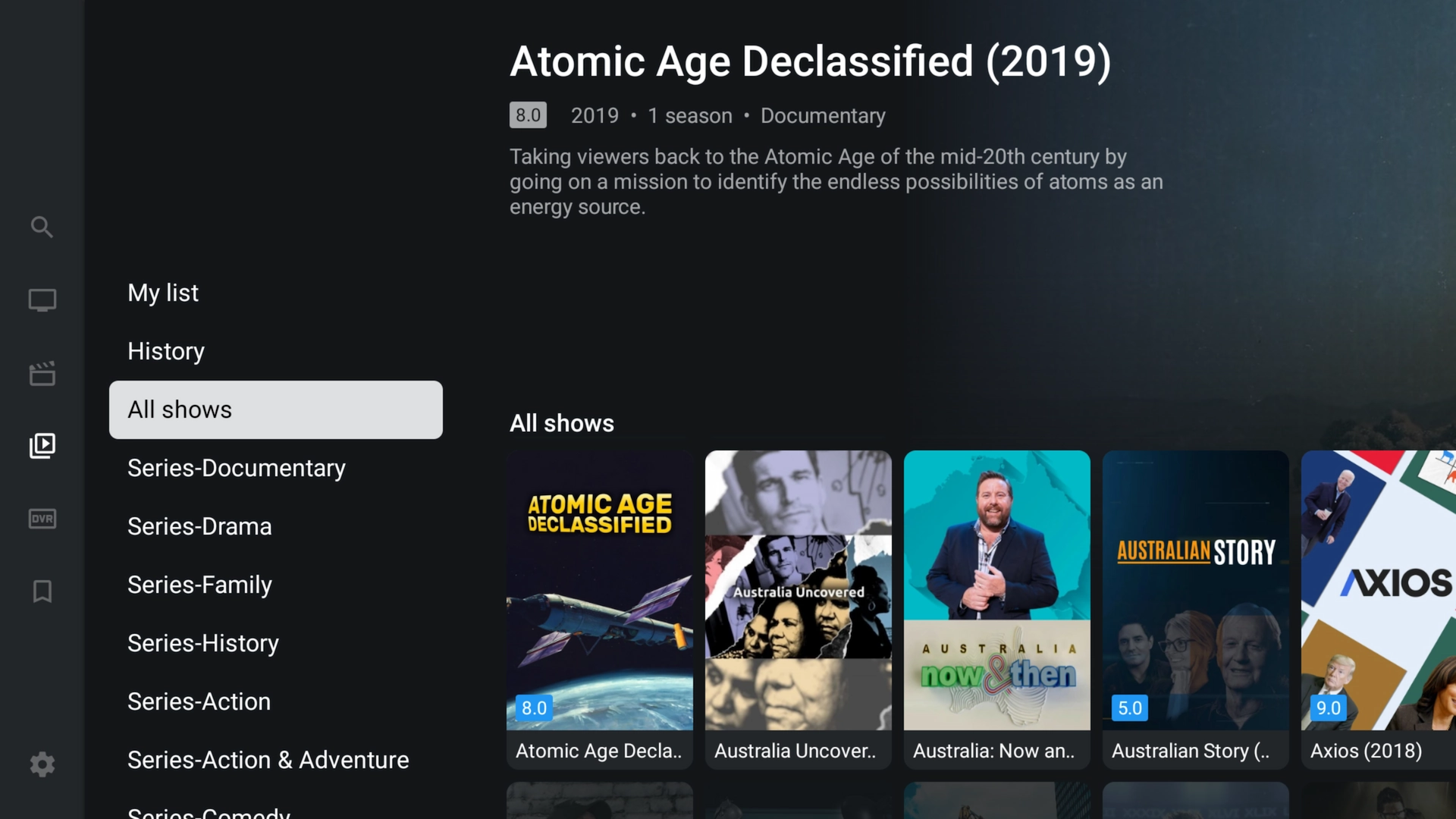
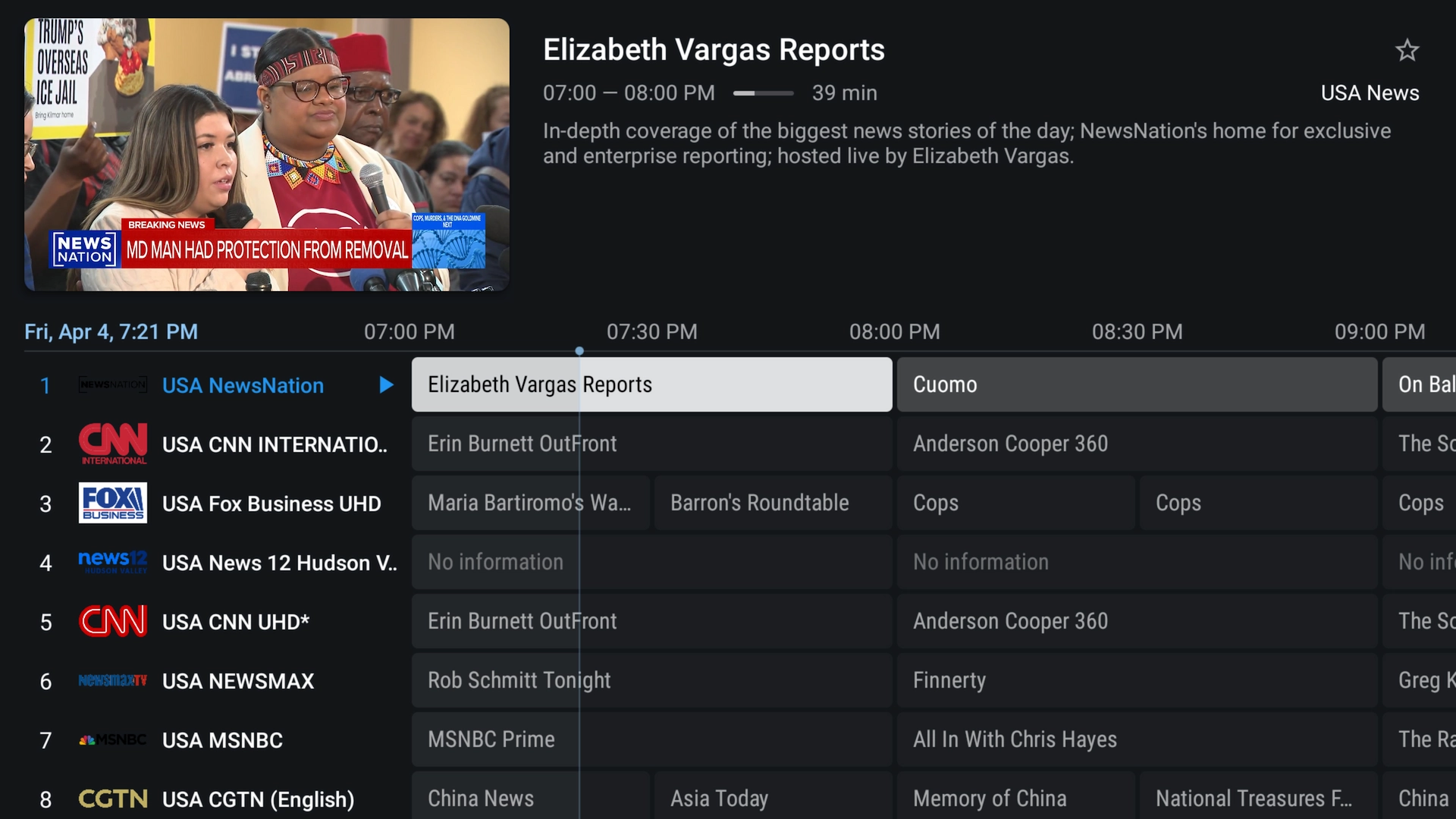
You can explore live channels, movies and TV shows using TiviMate's familiar TV-friendly interface. Premium functionality is already available, so you can start customizing your viewing experience without having to separately unlock TiviMate Premium.
You can also explore the new Sports section and other features included with the latest September update.
Take a Look at the Interface
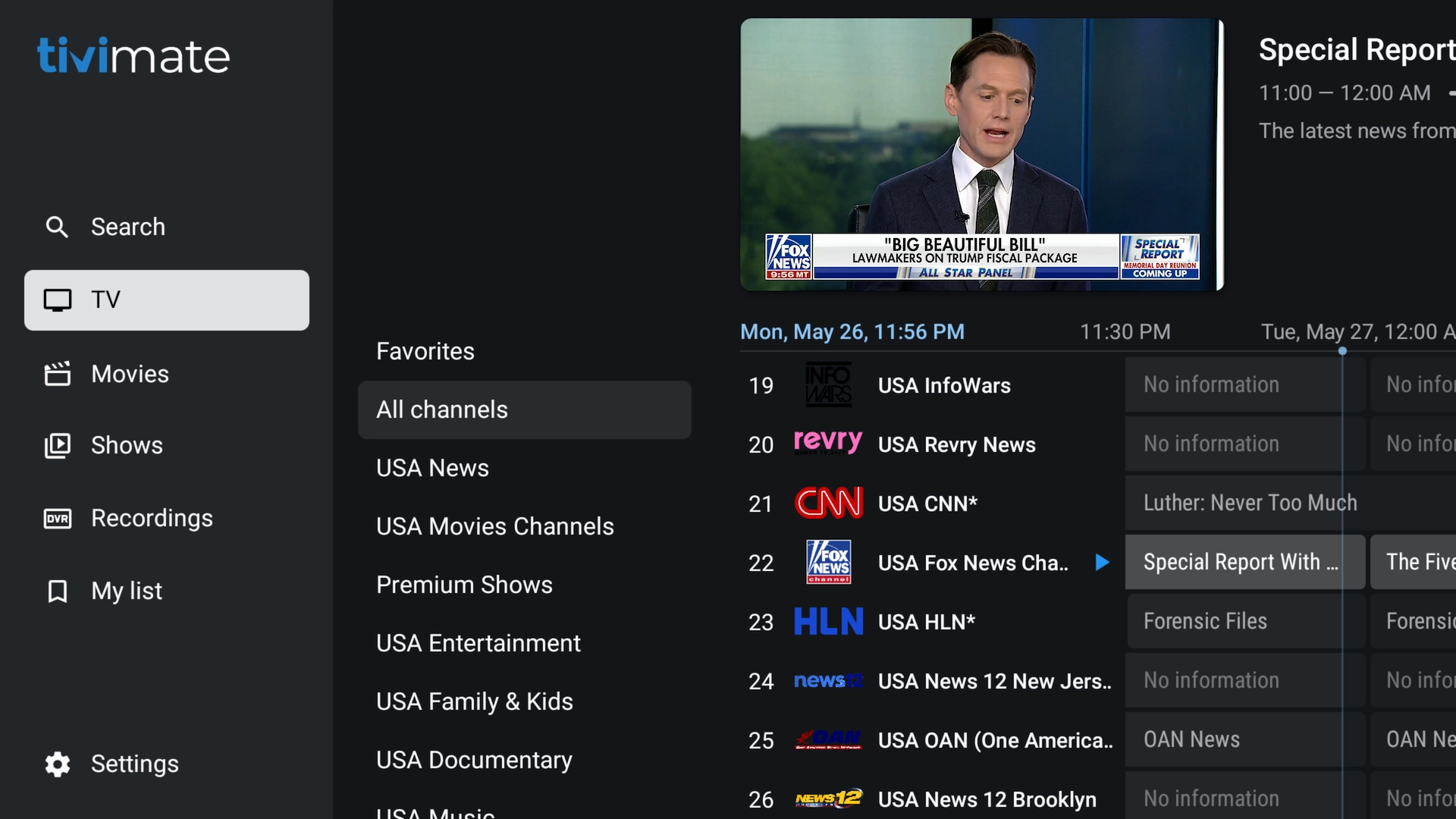
Free TiviMate Premium gives you an organized interface that's particularly convenient on Firestick and Android TV devices.
Browse Movies
Browse TV Shows
Use the Full-Screen TV Guide
Frequently Asked Questions
Is Free TiviMate Premium actually free?
Yes. Our version of TiviMate comes with its premium functionality ready to use, so there is no separate TiviMate Premium purchase or activation process required for this version of the app.
What's different about Free TiviMate Premium?
In addition to having premium functionality ready to use, the latest version adds several custom features including a Sports Hub, integrated VPN support, remote VPN management, in-app announcements, remote server updates and additional remote troubleshooting capabilities.
The September 15 update also allows Free TiviMate Premium to be installed alongside regular TiviMate.
What's new in the September 15, 2026 update?
The September 15 update introduces some of the biggest improvements we've made to the app so far, including:
- A dedicated Sports section for finding games and channels
- Integrated VPN support
- Remote VPN server management
- In-app service announcements
- Remote IPTV server and configuration updates
- Additional remote troubleshooting tools
- Playback and performance improvements
- The ability to install the app alongside regular TiviMate
I already have TiviMate installed. Do I need to uninstall it?
No. The latest version of Free TiviMate Premium can be installed alongside regular TiviMate.
You can keep your existing TiviMate installation exactly as it is and install Free TiviMate Premium separately.
Can I use regular TiviMate and Free TiviMate Premium at the same time?
Yes. The applications can coexist on the same compatible device.
This is useful if you already have another IPTV service configured in regular TiviMate and don't want to change or remove that setup.
What if I already paid for TiviMate Premium?
You can keep your existing TiviMate Premium installation. There is no need to remove it.
You can also install Free TiviMate Premium separately if you want access to the additional custom features included with our version.
What does the Sports section do?
The Sports section is designed to make live games easier to find by displaying sporting events along with the channels where they are available.
Instead of manually searching through large channel lists, you can use the Sports section as a quicker way to determine where a game is playing.
Why does the app include VPN support?
Some Internet providers may filter, block, throttle or route certain IPTV traffic poorly.
Integrated VPN support gives the app another troubleshooting option when connection or routing problems occur.
Can support remotely change my IPTV setup?
The latest version includes support for certain remotely managed configuration settings.
When supported, this can allow server information, VPN configuration or other settings to be updated without requiring you to manually enter everything with your TV remote.
What are in-app announcements?
In-app announcements allow important service information to appear directly inside Free TiviMate Premium.
These may include maintenance information, service notices, server changes, new features or other important updates.
Does Free TiviMate Premium include IPTV service?
No. TiviMate is the player used to display your IPTV service. You still need IPTV credentials containing your channels and other content.
If you don't have an account yet, you can get a free 36-hour IPTV trial here. No credit card is required.
What devices can I use?
This installation method is intended primarily for Amazon Fire TV/Firestick and Android TV devices.
How do I update Free TiviMate Premium?
Open Downloader again, enter code 9451449, and install the latest available version.
If you're using an older version of the app, installing the latest version gives you access to the newest features and improvements.
Do I need to buy TiviMate Premium separately?
No separate TiviMate Premium purchase or activation is required for the premium functionality included with this version.
Ready to Try It?
Now that you know how easy it is to install Free TiviMate Premium, the next step is trying it with an IPTV service.
Get a free 36-hour IPTV trial, load your credentials into Free TiviMate Premium, and see how the service performs on your own Firestick or Android TV before deciding whether it's right for you.
Try IPTV Free for 36 Hours
No credit card required. Nothing to cancel. Set it up with Free TiviMate Premium and test it on your own device.